
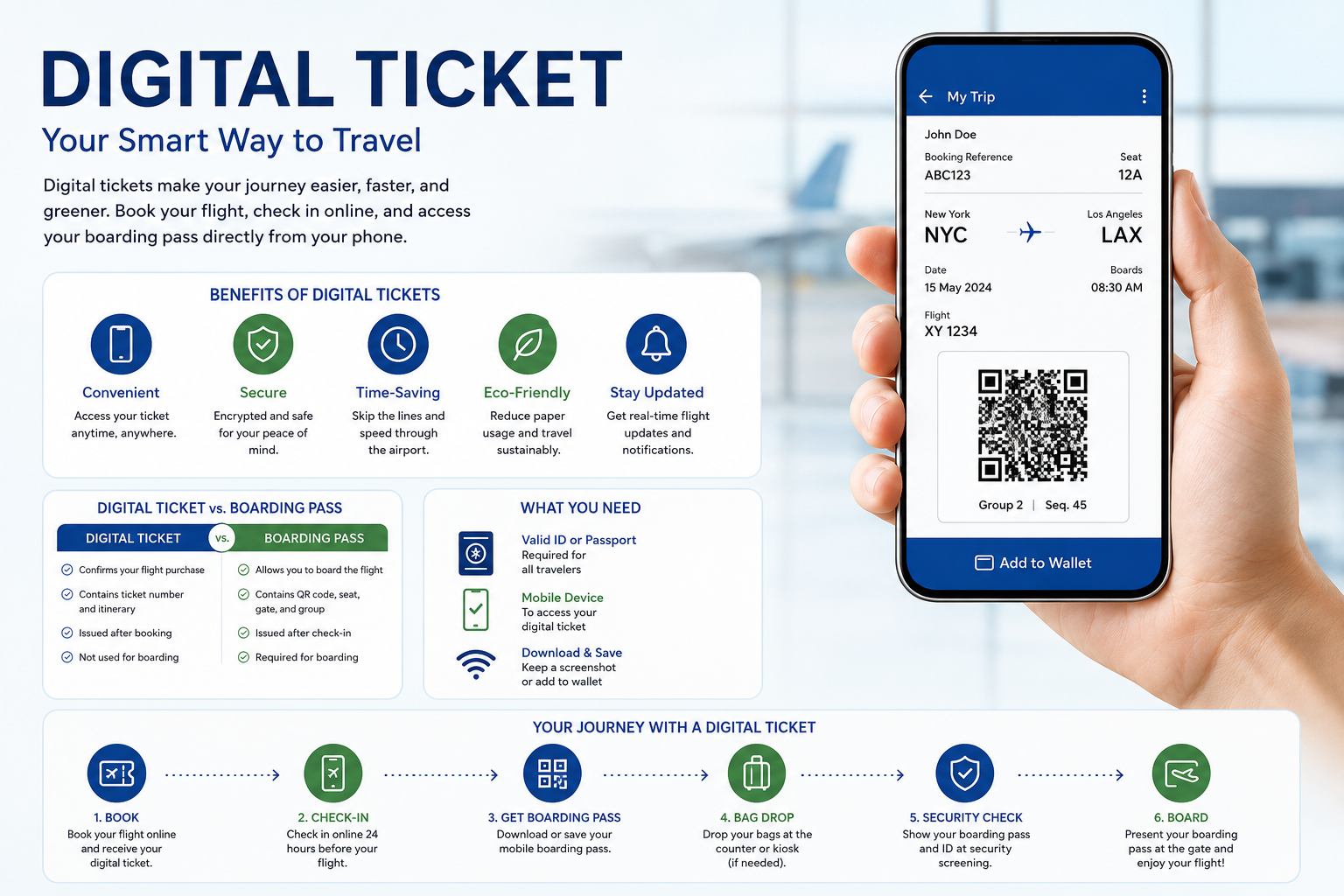
Travelling has become more convenient than ever, thanks to digital technology. Instead of carrying paper tickets, passengers can now access their flight information directly from their smartphones or other digital devices. An American Airlines digital ticket allows you to manage your booking, check in online, and receive your boarding pass electronically, making the entire travel experience faster and more efficient.
Whether you’re travelling for business, a family vacation, or a last-minute getaway, understanding how digital tickets work can help you avoid unnecessary stress at the airport. From booking your flight to boarding the aircraft, knowing the difference between an electronic ticket and a boarding pass is essential. This guide explains every aspect of American Airlines digital tickets in simple language so you can travel with confidence.
What You’ll Learn
| Topic | Description |
|---|---|
| What is an American Airlines digital ticket? | Understand how electronic tickets work. |
| How to receive your digital ticket | Learn where to find your ticket after booking. |
| Difference between a digital ticket and boarding pass | Avoid common confusion before your flight. |
| Benefits of using digital tickets | Discover why paper tickets are becoming obsolete. |
| How to check in online | Complete your check-in quickly and efficiently. |
| Using your ticket at the airport | Learn what happens from security to boarding. |
| Common issues and solutions | Fix the most frequent digital ticket problems. |
| Helpful travel tips | Make your airport experience smoother. |
What Is an American Airlines Digital Ticket?
An American Airlines digital ticket, also known as an electronic ticket or e-ticket, is a digital record of your flight reservation. Instead of issuing a traditional paper ticket, the airline stores your booking information electronically in its reservation system.
After purchasing your flight, you’ll receive a confirmation email that includes your itinerary, reservation code, and electronic ticket number. This digital record serves as proof that you’ve purchased your flight. When it’s time to travel, you simply check in online or through the airline’s mobile app to receive your mobile boarding pass.
Unlike paper tickets, digital tickets are securely stored and can be accessed whenever you need them using your booking reference or airline account.
Key Features of a Digital Ticket
- Paperless flight confirmation
- Instant delivery after booking
- Secure electronic storage
- Easy access on mobile devices
- Faster airport processing
- Reduced risk of losing travel documents
- Environmentally friendly travel option
How Does an American Airlines Digital Ticket Work?
A digital ticket simplifies the entire travel process by storing your reservation electronically. Once your payment is confirmed, the airline generates a unique ticket number associated with your booking.
The process typically works like this:
- Book your flight through the airline’s website, mobile app, travel agency, or customer service.
- Receive an email confirming your reservation.
- Locate your ticket number and booking reference.
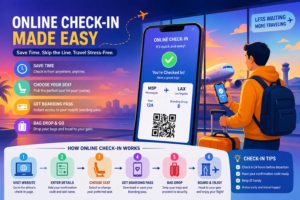
- Check in online within the airline’s check-in window.
- Download or save your mobile boarding pass.
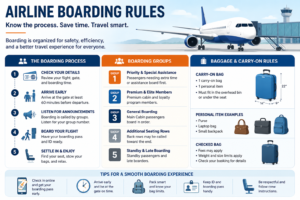
- Present your boarding pass during security screening and boarding.
Although the ticket itself confirms your reservation, you will still need a boarding pass to enter the aircraft.
American Airlines Digital Ticket vs. Mobile Boarding Pass
Many travellers assume these two documents are identical, but they serve completely different purposes.
| Feature | Digital Ticket | Mobile Boarding Pass |
|---|---|---|
| Purpose | Confirms your flight purchase | Allows you to board the aircraft |
| Available | Immediately after booking | After online or airport check-in |
| Contains | Ticket number, itinerary, reservation details | QR code, seat assignment, gate, boarding group |
| Used For | Managing reservations | Security screening and boarding |
| Required at Airport | Reference document | Essential for boarding |
Think of your digital ticket as proof that you’ve purchased a seat on the flight, while your boarding pass is your permission to enter the aircraft.
How to Receive Your American Airlines Digital Ticket
Receiving your digital ticket is usually automatic once your booking has been confirmed.
Book Through the Official Website
After completing your booking, you’ll receive a confirmation email containing:
- Flight itinerary
- Reservation confirmation code
- Electronic ticket number
- Passenger details
- Payment summary
Book Through the Mobile App
If you book using the airline’s mobile app, your reservation is automatically linked to your account. You can view your trip details, manage your booking, and check in from one place.
Book Through a Travel Agency
Passengers who book through an online travel agency or traditional travel agent will also receive an electronic ticket. In most cases, both the travel agency and the airline send separate confirmation emails.
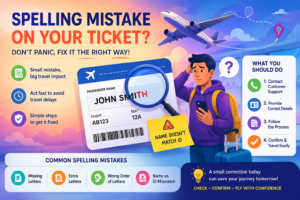
Always review your booking details carefully after receiving your ticket. Check that your name, travel dates, destinations, and flight times are correct.
How to Access Your American Airlines Digital Ticket
Finding your digital ticket is simple. Most passengers can access it in several different ways.
Through Your Email
Search your inbox for your booking confirmation. Save the email or mark it as important so you can easily find it before your trip.
Through Your Airline Account
Log in to your account and open the “Manage Trips” section. Here you can:
- View your itinerary
- Check your ticket status
- Update passenger information
- Purchase additional services
- Check flight status
Through the Mobile App
The airline’s mobile app stores your upcoming trips automatically once you’re signed in. This provides quick access even while travelling.
Benefits of Using an American Airlines Digital Ticket
Digital tickets have transformed air travel by making the process faster, more secure, and more convenient.
Greater Convenience
You no longer need to print or carry paper tickets. Your reservation is available whenever you need it.
Faster Airport Experience
Digital tickets support quicker online check-in and allow passengers to move through airport processes more efficiently.
Improved Security
Electronic records reduce the risk of lost or damaged travel documents. Since your reservation is stored electronically, it can be retrieved even if you accidentally delete the confirmation email.
Easy Trip Management
Passengers can often update contact information, view itinerary changes, purchase baggage, or select seats without visiting the airport.
Better for the Environment
Using electronic travel documents reduces paper waste and supports more sustainable travel practices.
How to Check In Using Your Digital Ticket
Having a digital ticket does not automatically mean you’re ready to board. Before travelling, you must complete the check-in process.
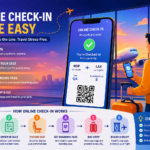
The standard check-in process includes:
- Open the airline website or mobile app.
- Enter your booking reference and last name if required.
- Confirm your travel details.
- Choose or review your seat assignment if available.
- Add checked baggage if necessary.
- Submit your check-in.
- Download your mobile boarding pass.
Once your boarding pass has been issued, save it to your phone and consider taking a screenshot so it’s available even if your internet connection becomes unreliable.
Many travellers also choose to add their boarding pass to a compatible digital wallet for quick access during security screening and boarding.
Using Your American Airlines Digital Ticket at the Airport
Once you’ve checked in and received your mobile boarding pass, your digital ticket continues to work behind the scenes as proof of your reservation. The boarding pass becomes the document you’ll use throughout your airport journey.
At the Check-In Counter
If you have checked baggage or need assistance, visit the airline’s check-in counter. The staff can retrieve your reservation using your booking reference, passport, or government-issued identification. After verifying your booking, they’ll tag your luggage and issue a boarding pass if you haven’t already received one.
At Self-Service Kiosks
Many airports offer self-service kiosks that make the process faster. Simply enter your confirmation code, scan your passport where required, or search using your booking details. The kiosk can print your boarding pass and baggage tags if needed.
During Security Screening
Airport security officers will ask to see your boarding pass along with a valid photo ID or passport. Make sure your phone screen brightness is high enough for the QR code to be scanned quickly.
At the Boarding Gate
When boarding begins, present your mobile boarding pass. The gate scanner reads the QR code and confirms your reservation electronically. Once scanned successfully, you’re ready to board the aircraft.
Can You Travel Without Printing Your Ticket?
Yes. In most cases, you do not need a printed ticket when travelling with an American Airlines digital ticket. A mobile boarding pass stored on your smartphone is generally accepted at airports that support digital boarding.
However, there are situations where carrying a printed copy can be helpful, including:
- International travel with additional document checks.
- Airports with limited digital scanning facilities.
- Phone battery failure.
- Mobile device damage or loss.
- Internet connectivity issues.
Keeping a printed itinerary is optional but can provide extra peace of mind during your journey.
Common Problems with American Airlines Digital Tickets
Although digital tickets are reliable, travellers occasionally experience issues before or during their trip. Understanding the most common problems can help you resolve them quickly.
Confirmation Email Doesn’t Arrive
Sometimes booking confirmations are delayed or filtered into spam folders.
Possible solutions include:
- Check your spam or junk folder.
- Verify that you entered the correct email address.
- Log into your airline account to view your booking.
- Retrieve your reservation using the confirmation code.
- Contact customer support if the email still hasn’t arrived.
Unable to Find Your Reservation
If your booking doesn’t appear, it may be due to an incorrect confirmation code or a delay in processing.
Try the following:
- Double-check your reservation code.
- Use your ticket number instead.
- Ensure your surname matches the booking exactly.
- Refresh the mobile app after signing in again.
QR Code Won’t Scan
A damaged phone screen or low display brightness may prevent successful scanning.
To improve scanning:
- Increase screen brightness.
- Clean your phone screen.
- Zoom out if the QR code has been enlarged.
- Retrieve a fresh boarding pass through the app.
- Request a printed boarding pass at the airport if necessary.
Phone Battery Dies
A dead battery can make accessing your boarding pass difficult.
To avoid this situation:
- Fully charge your phone before leaving for the airport.
- Carry a portable power bank.
- Save a screenshot of your boarding pass.
- Keep a printed copy of your itinerary.
Tips for Managing Your American Airlines Digital Ticket
A few simple habits can make travelling much smoother.
Save Your Booking Confirmation
Keep a copy of your confirmation email in a dedicated travel folder or mark it as important.
Take Screenshots
Internet connections may not always be reliable inside airports. Saving screenshots allows quick access even without a network connection.
Check Flight Status Regularly
Flight schedules occasionally change due to weather, operational requirements, or airport congestion. Checking your flight status before leaving for the airport can help you avoid unnecessary delays.
Arrive Early
Even with digital documents, arriving early gives you enough time for baggage drop, security screening, and unexpected delays.
Keep Identification Ready
Your digital ticket does not replace government-issued identification. Always carry the appropriate ID or passport required for your trip.
Is an American Airlines Digital Ticket Safe?
Yes. Digital tickets are designed with multiple layers of security that protect passenger information and reduce the risk of fraud.
Electronic reservations are stored within secure airline systems rather than solely on your mobile device. Sensitive payment information is processed using encrypted technology, while boarding passes include unique QR codes that help prevent duplication.
Travellers can further improve security by:
- Using strong account passwords.
- Enabling two-factor authentication when available.
- Avoiding public Wi-Fi when accessing travel information.
- Logging out after using shared computers.
- Updating the airline app regularly.
Digital Ticket Best Practices for International Travel
International journeys often involve additional documentation beyond your electronic ticket. Preparing in advance helps prevent delays at the airport.
Before travelling internationally:
- Verify passport validity.
- Check visa requirements for your destination.
- Review health documentation if applicable.
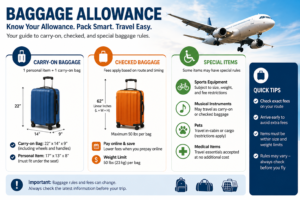
- Confirm baggage allowances.
- Complete any required travel declarations.
- Keep digital and printed copies of important documents.
Many countries also require travellers to provide additional information before departure, so reviewing entry requirements well in advance is recommended.
Accessibility and Digital Travel
Digital tickets also improve accessibility for many travellers by reducing paperwork and providing easier access to travel information.
Helpful accessibility features include:
- Screen reader compatibility on mobile devices.
- Adjustable text sizes.
- High-contrast display options.
- Mobile notifications for flight updates.
- Easy access to boarding information.
Passengers requiring special assistance should arrange support before travelling to ensure airport staff can provide appropriate services.
Common Mistakes to Avoid
Even experienced travellers occasionally make simple mistakes when using digital tickets.
Avoid these common errors:
- Waiting until the airport to check in.
- Forgetting to charge your phone.
- Ignoring flight schedule changes.
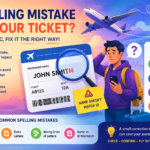
- Entering incorrect passenger details during booking.
- Deleting confirmation emails.
- Arriving at the airport too late.
- Assuming the digital ticket is the same as the boarding pass.
- Forgetting required identification documents.
Being prepared helps ensure a smoother airport experience and reduces unnecessary stress on the day of travel.
Expert Tips for a Smooth Digital Travel Experience
Frequent travellers often follow a consistent routine that minimises travel disruptions.
Some practical recommendations include:
- Download the airline app several days before departure.
- Save your boarding pass in a digital wallet if supported.
- Keep both digital and printed copies of your itinerary.
- Enable flight notifications to receive gate changes and delay alerts.
- Verify your passport details before completing check-in.
- Pack portable charging equipment in your carry-on bag.
- Arrive early during holidays and peak travel seasons.
- Review baggage policies before leaving home.
These simple habits can save valuable time and help you avoid last-minute problems.
Frequently Asked Questions
What is an American Airlines digital ticket?
An American Airlines digital ticket is an electronic record of your flight purchase. It confirms your reservation and contains important travel details, including your ticket number, itinerary, and booking information. Unlike a boarding pass, it cannot be used to board the aircraft.
Is a digital ticket the same as a boarding pass?
No. A digital ticket confirms that you have purchased a flight, while a boarding pass is issued after check-in and allows you to pass through security and board your flight.
How do I access my American Airlines digital ticket?
You can access your digital ticket through your confirmation email, your airline account under “Manage Trips,” or the airline’s mobile app after signing in.
Do I need to print my digital ticket?
In most cases, no. A digital ticket and mobile boarding pass stored on your smartphone are accepted at most airports. However, carrying a printed itinerary can be useful if your phone battery dies or you experience technical issues.
When can I check in using my digital ticket?
Online check-in usually opens 24 hours before your scheduled departure. Once check-in is complete, you can download or save your mobile boarding pass.
What should I do if I lose my confirmation email?
Sign in to your airline account or use your reservation code in the “Manage Trips” section to retrieve your booking. If necessary, contact customer support for assistance.
Can I use my digital ticket without the mobile app?
Yes. You can access your booking through the airline’s website using your reservation code and last name. Your confirmation email also contains your ticket details.
What happens if my phone battery dies before boarding?
If your phone battery dies, ask an airline representative to print a boarding pass at the airport. Carrying a portable charger or saving a printed itinerary is always recommended.
Can I make changes to my booking using my digital ticket?
Yes. Depending on your fare rules, you may be able to change flights, update passenger information, purchase baggage, or select seats through the “Manage Trips” section.
Is my digital ticket secure?
Yes. Digital tickets are stored within secure airline reservation systems and are protected using encrypted technology and unique booking records.
Can I add my boarding pass to a digital wallet?
Yes. Many smartphones allow passengers to save eligible boarding passes to a digital wallet for quick access during security screening and boarding.
What documents should I carry with my digital ticket?
For domestic travel, carry a valid government-issued photo ID. For international flights, bring your passport, required visas, and any additional travel documents requested by your destination.