

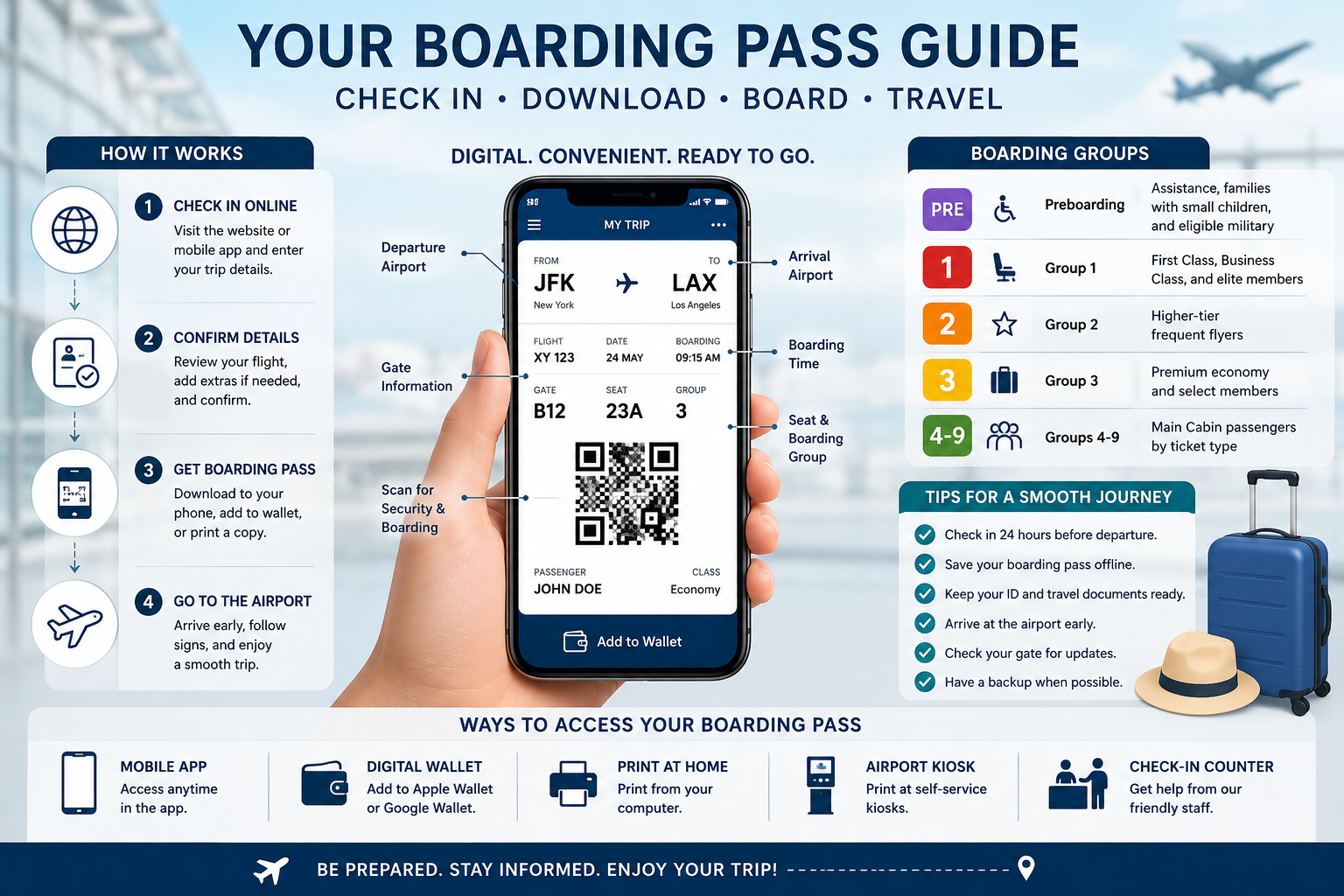
Travelling becomes much smoother when you know exactly how your american airlines boarding pass works. Whether you’re flying domestically or internationally, your boarding pass is the key document that allows you to pass through airport security, locate your departure gate, and board your flight on time.
Today’s travellers have multiple ways to receive a boarding pass. You can use the American Airlines website, the mobile app, airport kiosks, or a staffed check-in counter. Digital boarding passes have become the preferred option because they are convenient, environmentally friendly, and easy to access throughout your journey.
Understanding when your boarding pass becomes available, how to save it offline, and what to do if something goes wrong can save valuable time and reduce travel stress.
What You’ll Discover
- What an American Airlines boarding pass is
- When your boarding pass becomes available
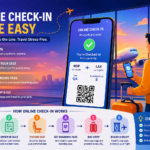
- How online check-in works
- Ways to download a mobile boarding pass
- How to print a boarding pass
- Using Apple Wallet and Google Wallet
- Boarding groups explained
- International travel requirements
- Common boarding pass issues and solutions
- Expert travel tips for a hassle-free airport experience
What Is an American Airlines Boarding Pass?
An American Airlines boarding pass is an official travel document issued after a passenger successfully checks in for a scheduled flight. It confirms that your reservation is active and provides the information required to board the aircraft.
A boarding pass typically includes:
- Passenger name
- Flight number
- Departure date
- Boarding time
- Departure gate
- Terminal information
- Seat assignment
- Boarding group
- QR code or barcode
- Frequent flyer number (if applicable)
The QR code is scanned at airport security and again at the boarding gate to verify your flight details.
When Can You Get Your American Airlines Boarding Pass?
In most cases, American Airlines allows passengers to check in 24 hours before the scheduled departure time. Once check-in is complete and any required travel documents have been verified, your boarding pass becomes available.
Several factors may delay boarding pass availability, including:
- Passport verification for international flights
- Visa document checks
- Additional security screening
- Airport-specific regulations
- Flight schedule changes
- Government travel requirements
If online check-in is unavailable, airport staff can usually assist you at the check-in counter.
How to Get an American Airlines Boarding Pass Online
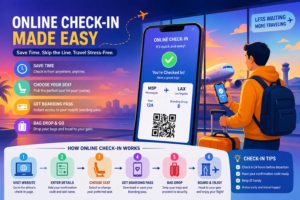
Checking in online is the quickest and most convenient way to receive your boarding pass.
Step 1: Visit the Check-In Page
Open the American Airlines website or launch the mobile application.
Step 2: Enter Your Booking Information
Provide your:
- Last name
- Booking reference or ticket number
Your reservation details will appear automatically.
Step 3: Confirm Passenger Information
Review your flight itinerary carefully.
Check that:
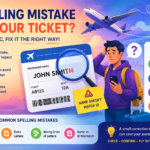
- Passenger names are correct.
- Flight dates match your plans.
- Seat assignments are accurate.
- Checked baggage selections are correct.
Step 4: Complete Check-In
Once all required information has been confirmed, complete the check-in process. Your boarding pass will then be generated instantly.
You can choose to:
- Download the digital boarding pass.
- Save it to your mobile device.
- Add it to Apple Wallet or Google Wallet.
- Email it to yourself.
- Print a paper copy.
American Airlines Mobile Boarding Pass
A mobile boarding pass is a digital version of your paper boarding pass that can be stored on your smartphone. It contains the same QR code and travel information required for airport security and boarding.
Benefits include:
- No paper required
- Instant access
- Easy to update if your gate changes
- Available within the airline app
- Faster airport experience
- Reduced risk of losing printed documents
- Convenient storage in digital wallets
Many travellers now rely entirely on mobile boarding passes, especially for domestic flights, because they simplify the airport experience while keeping essential travel information readily accessible.
How to Print an American Airlines Boarding Pass
Although digital boarding passes are widely accepted, many travellers still prefer carrying a printed copy as a backup. A paper boarding pass can be useful if your phone battery runs low, you have limited internet access, or you are travelling through airports that require printed documents.
You have several ways to print your boarding pass:
Print at Home
After completing online check-in, choose the Print Boarding Pass option. Use a standard printer to print a clear copy with the barcode fully visible.
Print at the Airport Kiosk
American Airlines self-service kiosks are available at many airports. Enter your booking reference, scan your passport, or use your payment card to retrieve your reservation. The kiosk will print your boarding pass within minutes.
Print at the Check-In Counter
If you need assistance, airline staff can print your boarding pass after verifying your identity and travel documents.
How to Add Your American Airlines Boarding Pass to Apple Wallet or Google Wallet
Saving your boarding pass to a digital wallet allows you to access it even if your internet connection becomes unavailable.
For Apple Wallet
- Complete online check-in.
- Open your boarding pass.
- Tap Add to Apple Wallet.
- Confirm the addition.
- Access it directly from the Wallet app whenever needed.
For Google Wallet
- Open your digital boarding pass.
- Select Save to Google Wallet.
- Confirm the save option.
- Open Google Wallet to view your boarding pass anytime.
Keeping your boarding pass in a digital wallet also makes it easier to receive gate updates and boarding reminders.
Understanding American Airlines Boarding Groups
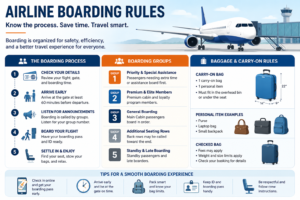
American Airlines uses boarding groups to organise passengers efficiently and reduce congestion at the gate.
| Boarding Group | Typical Passengers |
|---|---|
| Preboarding | Passengers requiring additional assistance, families with young children, and eligible military members |
| Group 1 | First Class, Business Class, and selected elite members |
| Group 2 | Higher-tier AAdvantage elite members |
| Group 3 | Eligible premium travellers and frequent flyers |
| Groups 4–9 | Main Cabin passengers based on ticket type and loyalty status |
Your boarding group appears clearly on your boarding pass. Listen for announcements and join the queue only when your group is called to help maintain an orderly boarding process.
What Information Appears on an American Airlines Boarding Pass?
Understanding the details on your boarding pass can help you avoid confusion at the airport.
Important information includes:
- Passenger name
- Flight number
- Departure airport
- Arrival airport
- Departure date
- Boarding time
- Departure gate
- Terminal number
- Seat assignment
- Boarding group
- QR code or barcode
- Frequent flyer number
- Ticket class
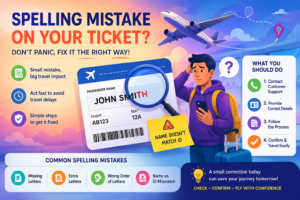
Always verify these details before leaving for the airport. Report any errors to American Airlines immediately.
American Airlines Boarding Pass for International Flights
International travel often requires additional document verification before a boarding pass can be issued.
You may need to provide:
- A valid passport
- Required visas
- Health documentation if applicable
- Destination-specific travel declarations
- Return or onward travel proof in some countries
Sometimes you can complete document verification online. In other cases, airport staff must inspect your documents before releasing your boarding pass.
To avoid delays, arrive earlier than you would for a domestic flight.
Common American Airlines Boarding Pass Problems and Their Solutions
Even experienced travellers occasionally experience boarding pass issues. Fortunately, most problems have simple solutions.
| Problem | Solution |
|---|---|
| Unable to check in online | Confirm eligibility, flight time, and travel document requirements. |
| Boarding pass won’t download | Refresh the app, restart your device, or log in again. |
| QR code won’t scan | Increase screen brightness or request a printed boarding pass. |
| Lost boarding pass | Download it again from the website or mobile app, or visit a kiosk. |
| Gate changed | Check the latest information in the app or airport display screens. |
| Seat assignment missing | Contact American Airlines before boarding. |
Tips for a Smooth Boarding Experience
Preparing before you reach the airport can make your journey much easier.
Follow these recommendations:
- Check in as soon as online check-in opens.
- Save your boarding pass offline.
- Carry a charger or power bank.
- Verify your gate before boarding.
- Monitor flight notifications for updates.
- Keep your government-issued identification readily available.
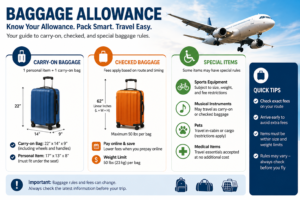
- Double-check your baggage allowance.
- Arrive at the airport early, especially during peak travel periods.
These small steps can significantly reduce stress and help you reach your gate on time.
Common Mistakes to Avoid
Many boarding delays occur because travellers overlook simple details.
Avoid these mistakes:
- Waiting until the last minute to check in.
- Forgetting to download the boarding pass before leaving home.
- Ignoring gate change notifications.
- Arriving after boarding has started.
- Carrying expired identification.
- Assuming international document checks are automatic.
- Closing the mobile app without saving the boarding pass.
- Relying entirely on mobile data at busy airports.
Being prepared ensures a smoother travel experience from check-in to take-off.
Industry Trends and Insights
Digital boarding passes continue to transform the passenger experience. According to aviation industry research, most travellers now prefer mobile check-in because it reduces waiting times and simplifies airport navigation. Airlines are also expanding biometric verification, contactless boarding, and digital identity technologies to improve security while speeding up passenger processing.
Future innovations are expected to include more personalised travel notifications, AI-powered airport assistance, enhanced digital document verification, and wider adoption of touch-free boarding systems.
Frequently Asked Questions
Can I use a screenshot of my boarding pass?
A screenshot may work if the QR code is clear and fully visible. However, using the official boarding pass stored in the American Airlines app or your digital wallet is more reliable because it reflects real-time gate and schedule updates.
Do I need a printed boarding pass?
Not always. Most airports accept mobile boarding passes. However, carrying a printed backup is recommended for international travel, older airports, or situations where your mobile device may lose power.
What should I do if I lose my boarding pass?
You can retrieve it by logging into your reservation through the American Airlines website or mobile app. Alternatively, print a new copy at an airport kiosk or request one from the check-in counter.
Can I get my boarding pass without the mobile app?
Yes. You can check in and access your boarding pass through the American Airlines website, use an airport self-service kiosk, or visit the airline’s check-in desk.
What is an American Airlines boarding pass?
An American Airlines boarding pass is a travel document issued after check-in that allows passengers to pass airport security and board their scheduled flight.
When can I get my American Airlines boarding pass?
Most passengers can check in and receive their boarding pass beginning 24 hours before the scheduled departure time.
Can I use a mobile boarding pass?
Yes. Most airports accept mobile boarding passes displayed through the American Airlines app or a supported digital wallet.
Do I need to print my boarding pass?
Printing is optional for most domestic flights, but carrying a printed backup is recommended, especially for international travel.
How do I print my boarding pass?
You can print it at home after online check-in, at an airport self-service kiosk, or at the American Airlines check-in counter.
Can I add my boarding pass to Apple Wallet?
Yes. After checking in, simply choose the option to add your boarding pass to Apple Wallet.
Why can’t I download my boarding pass?
Common reasons include incomplete document verification, passport checks, visa requirements, flight changes, or temporary technical issues.
What happens if I lose my boarding pass?
You can download it again from your reservation, print another copy at the airport, or ask an airline representative to reissue it.
Can I use a screenshot of my boarding pass?
A screenshot may work if the barcode is clear, but the official mobile boarding pass is recommended because it updates automatically if flight information changes.
What documents are needed for international boarding passes?
Most international flights require a valid passport, and some destinations also require visas or additional travel documentation before check-in can be completed.
Does my boarding pass show my seat number?
Yes. Your seat assignment is displayed on the boarding pass once it has been confirmed.
What is the QR code on my boarding pass?
The QR code stores your flight and passenger information and is scanned during security screening and again before boarding.



2 responses to “Could an American Airlines Boarding Pass Be Your Ultimate Travel Companion?”
[…] I add my boarding pass to a digital […]
[…] Benefits of Using an Avelo Digital Boarding Pass […]