
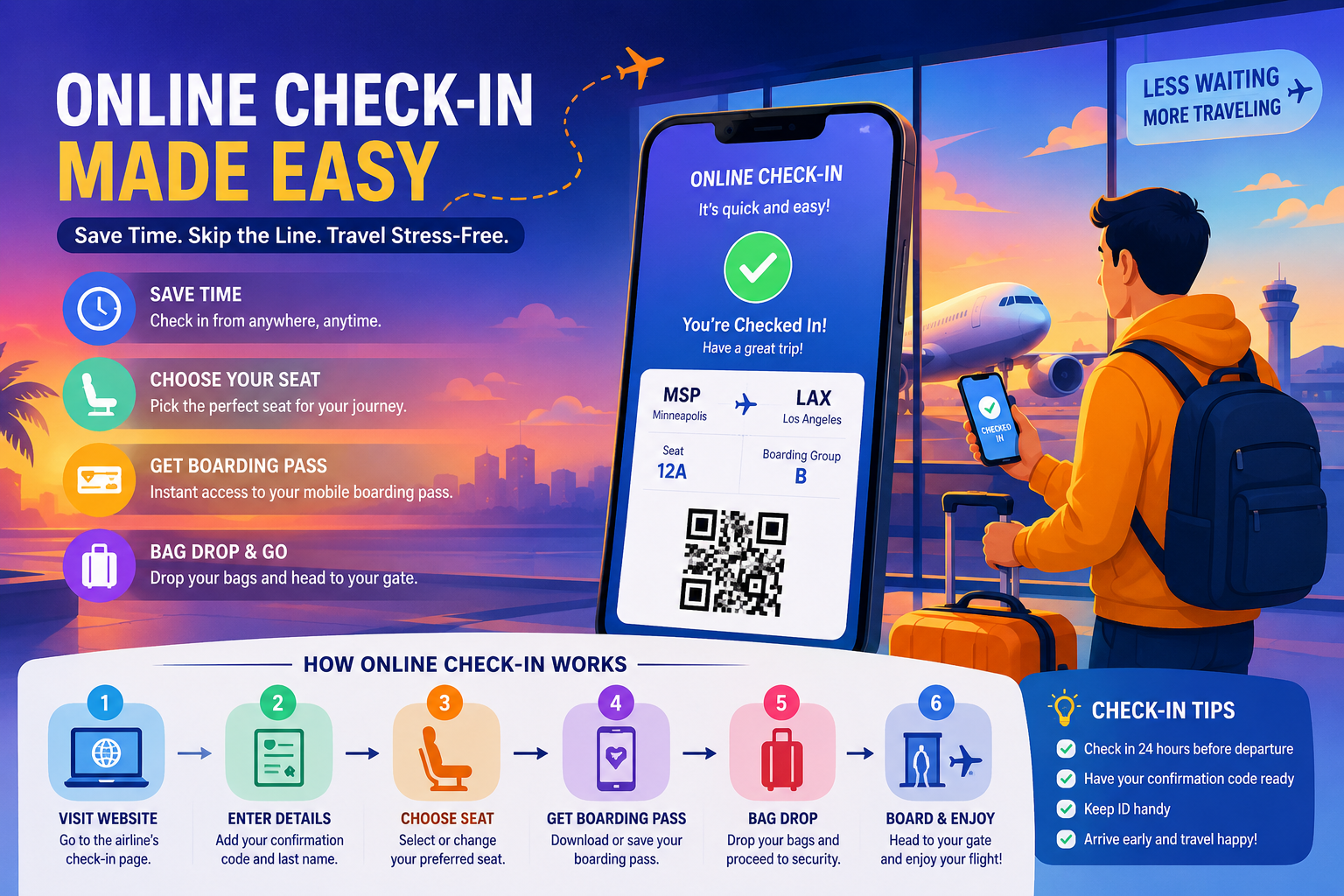
Flying with Sun Country Airlines? Completing your Sun Country online check-in before heading to the airport can make travel day much easier. Instead of waiting until you reach the ticket counter, eligible travelers can check in through the airline’s website or mobile app and access their boarding pass.
Sun Country’s current mobile app supports flight check-in and mobile boarding passes. Its official app information says passengers can check in between 24 hours and 1 hour before scheduled departure.
However, there is an important distinction between online check-in, airport check-in, baggage drop, and being ready at the departure gate. Understanding those deadlines can help prevent a last-minute problem.
What You Need to Know
In this guide, you’ll learn:
- When Sun Country online check-in opens and closes
- How to check in online step by step
- How to use the Sun Country mobile app
- How to access your boarding pass
- What to do if you have checked baggage
- Online versus airport check-in
- Airport arrival recommendations
- Domestic and international considerations
- What to do when online check-in fails
- Common check-in mistakes
- Frequently asked questions about Sun Country check-in
What Is Sun Country Airlines Online Check-In?
Sun Country Airlines online check-in is the digital process of confirming your upcoming flight through Sun Country’s website or mobile app before reaching the airport. Eligible passengers can complete the check-in process, review their trip information, and access their boarding pass digitally. Sun Country’s current app specifically supports flight check-in and mobile boarding passes.
The biggest advantage is convenience. You can complete much of the pre-airport process from your phone or computer rather than starting at the airport counter.
Sun Country online check-in at a glance
| Item | Current information |
|---|---|
| Online/mobile check-in opens | 24 hours before scheduled departure |
| Online/mobile check-in window | Up to 1 hour before scheduled departure |
| Mobile boarding pass | Available through the Sun Country app |
| Airport check-in | Available at applicable ticket counters/kiosks |
| Domestic airport check-in deadline | Generally 45 minutes before departure |
| International airport check-in deadline | Generally 60 minutes before departure |
| Recommended airport arrival | 120 minutes domestic / 180 minutes international |
The online/app window and airport deadline should not be treated as the same thing. Sun Country’s current app information describes the digital check-in window as 24 hours to 1 hour before departure, while its Contract of Carriage sets airport check-in deadlines at 45 minutes for most domestic flights and 60 minutes for international flights.
When Does Sun Country Online Check-In Open?
Sun Country’s mobile-app information states that travelers can check in between 24 hours and 1 hour before their scheduled departure time.
For example, if your flight is scheduled for 7:00 p.m. on Friday, the digital check-in window begins at approximately 7:00 p.m. on Thursday.
Why checking in early helps
Completing check-in early gives you time to:
- Review your itinerary
- Confirm passenger information
- Access your boarding pass
- Review or manage available trip options
- Prepare for baggage drop
- Resolve an online check-in problem before reaching the airport
Travel Expert Insight
Do not wait until the last few minutes of the digital check-in window. Internet problems, app errors, incorrect reservation details, or document issues can turn a simple check-in into an airport problem.
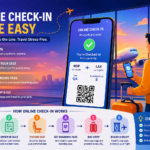
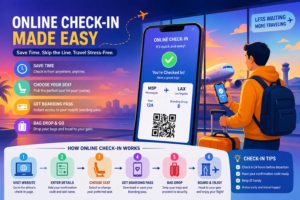
How to Check In Online With Sun Country Airlines
The process is straightforward for eligible passengers.
Step 1: Open Sun Country’s website or app
Use the official Sun Country website or its mobile application.
The airline’s current app allows customers to manage trips, check in, and access mobile boarding passes.
Step 2: Locate your reservation
Have your booking information available. Your confirmation or reservation information is normally found in the booking email or itinerary.
Step 3: Enter the requested passenger information
Follow the prompts to retrieve your reservation and begin check-in.
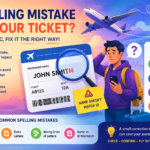
Double-check:
- Passenger name
- Flight date
- Origin
- Destination
- Flight number
Step 4: Review the trip
Make sure the flight information is correct before continuing.
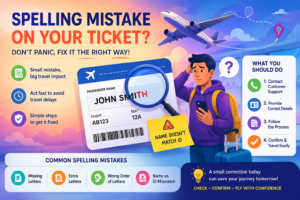
If you notice an incorrect name or other major booking problem, do not assume online check-in will fix it. Resolve the reservation issue before traveling.
Step 5: Complete check-in
Follow the prompts displayed by Sun Country.
Depending on your itinerary and reservation, additional information or verification may be required.
Step 6: Retrieve your boarding pass
Once check-in is complete, access your boarding pass through the available digital option. Sun Country says its mobile app allows travelers to download their boarding pass for travel.
Step 7: Save a backup
Take a practical precaution: save the boarding pass where you can access it even if your internet connection becomes unreliable.
A screenshot or another permitted backup can be useful, but make sure the barcode and passenger information remain clearly visible.
Sun Country Mobile Check-In: How the App Helps
Sun Country launched its current mobile app in 2024. The airline says the app allows customers to book travel, check in, use a mobile boarding pass, and manage trips.
This is important because some older travel pages still state that mobile boarding passes are unavailable. Those pages are outdated compared with Sun Country’s current app information.
Useful app features
The airline highlights features including:
- Flight check-in
- Mobile boarding pass
- Trip management
- Flight-status information
- Sun Country Rewards access
Practical recommendation
Before travel day, make sure:
- The app is installed.
- You can access your reservation.
- Your phone is charged.
- Your boarding pass can be displayed.
- You have a backup form of identification and travel documentation.
Do You Still Need to Go to the Airport After Sun Country Online Check-In?
Yes, in many situations.
Online check-in does not mean you can arrive at the airport immediately before departure.
If you have checked baggage, you still need to complete the baggage process at the airport. You must also allow time for security screening and getting to your gate.
Sun Country’s current Contract of Carriage says airport check-in generally closes 45 minutes before domestic departure and 60 minutes before international departure. It also recommends arriving at the ticket counter 120 minutes before domestic flights and 180 minutes before international flights.
Think of the process this way
Online check-in → boarding pass → airport → baggage drop if needed → security → gate → boarding
Each stage takes time.
Sun Country Check-In Deadlines You Should Know
The following deadlines are among the most important facts to remember.
| Travel stage | Domestic | International |
|---|---|---|
| Online/app check-in opens | 24 hours before | Check applicable eligibility |
| Digital check-in closes | 1 hour before according to app information | Check your itinerary/app |
| Airport check-in closes | 45 minutes before | 60 minutes before |
| Recommended airport arrival | 2 hours before | 3 hours before |
| Gate availability requirement in contract | 30 minutes before | 60 minutes before |
Sun Country’s Contract of Carriage states that passengers must be checked in and available for boarding at the departure gate at least 30 minutes before domestic departure or 60 minutes before international departure to avoid being treated as a no-show.
There are also location-specific airport exceptions. For example, the contract lists Los Angeles with a 60-minute ticket-counter closing time and St. Thomas with a 90-minute closing time.
Why this matters
A passenger who completes online check-in but arrives too late for baggage drop or airport processing can still face a serious problem.
Online check-in is not a substitute for meeting airport deadlines.
What If You Have Checked Baggage?
Checking in online is still useful if you have checked luggage, but your airport process is not finished.
After completing online check-in:
- Arrive at the airport early.
- Go to the appropriate Sun Country baggage/check-in area.
- Complete the baggage process.
- Keep your baggage receipt or tracking information.
- Proceed through security.
- Reach your departure gate with sufficient time remaining.
Sun Country’s Contract of Carriage says baggage generally must be tendered at least one hour before scheduled departure and sufficiently early to allow loading based on station procedures.
This is one reason travelers should not plan their airport arrival around the online check-in cutoff.
Sun Country Online Check-In vs. Airport Check-In
| Feature | Online/App | Airport |
|---|---|---|
| Convenience | High | Lower |
| Boarding pass | Digital option | Assistance available |
| Baggage | Does not replace airport bag process | Can complete required baggage process |
| Best for | Travelers with straightforward reservations | Travelers needing assistance |
| Timing | 24 hours to 1 hour before departure via current app information | Generally closes 45/60 minutes before departure |
| Human assistance | Limited | Available at airport |
The U.S. Department of Transportation also recommends using online boarding-pass options when available because doing so can speed up the airport check-in process.
Why Can’t I Check In Online With Sun Country?
Sometimes online check-in may not work even when you have a valid reservation.
Possible causes include:
- The check-in window has not opened.
- The online check-in window has closed.
- Reservation information does not match.
- Additional travel-document verification is needed.
- Your itinerary has special requirements.
- The booking was made through another party and needs additional handling.
- The website or app is experiencing a temporary technical issue.
What should you do?
Try these steps:
- Confirm your departure time.
- Verify that the 24-hour check-in window has opened.
- Re-enter your reservation information carefully.
- Try the Sun Country app if you used the website.
- Try the website if the app fails.
- Check whether your itinerary requires airport assistance.
- If the problem continues, arrive early and seek airport assistance.
Do not keep troubleshooting until the airport deadline is close.
International Sun Country Flights and Check-In
International travel requires more planning because check-in is not simply about receiving a boarding pass.
Sun Country’s Contract of Carriage states that passengers crossing an international boundary are responsible for obtaining the required travel documents and complying with applicable entry requirements.
That can include:
- Valid passport
- Visa, where required
- Destination-specific documentation
- Correct passenger information
- Any required immigration or entry documentation
The U.S. Department of Transportation also emphasizes that travelers are responsible for having the documentation required for international travel.
Best practice
For an international trip, do not rely solely on your mobile boarding pass. Carry your passport and all required travel documents and allow substantially more airport time.
Sun Country recommends arriving at the airport ticket counter three hours before international departure.
Do You Need to Print Your Sun Country Boarding Pass?
Not necessarily.
Sun Country’s current mobile-app information confirms that travelers can access and download a boarding pass through the app.
A mobile boarding pass is convenient because it reduces paper handling and keeps the pass on your phone.
Still, a backup is smart
Consider keeping:
- Your mobile boarding pass
- Your booking confirmation
- Your government-issued ID
- Your passport for international travel
- A backup copy of important travel information
The U.S. Department of Transportation recommends carrying your ticket or confirmation information and appropriate identification.
Common Sun Country Online Check-In Mistakes
Avoid these mistakes before your flight.
1. Waiting until the last minute
The biggest mistake is treating online check-in as something that can be done whenever you reach the airport.
2. Confusing check-in with baggage drop
Checking in online does not eliminate the need to process checked luggage.
3. Ignoring the airport deadline
The online window and airport counter deadline are different.
4. Forgetting travel documents
A boarding pass does not replace a passport or other required documentation.
5. Relying only on an unstable phone connection
Have your boarding pass available before you leave for the airport.
6. Ignoring flight changes
Sun Country recommends checking flight information and status as part of travel preparation. Its app provides flight-status functionality.
How Early Should You Arrive for a Sun Country Flight?
Sun Country’s current Contract of Carriage recommends arriving at the ticket counter:
- 120 minutes before domestic departure
- 180 minutes before international departure
The recommendation is especially useful when you have:
- Checked baggage
- Special assistance needs
- Children traveling with you
- International documentation
- An unfamiliar airport
- A peak travel period
- Long security lines
The DOT likewise advises passengers to allow enough time for baggage and security and notes that airline deadlines can vary.
Last-Minute Checks Before Heading to the Airport
Use this checklist after completing online check-in:
- Online check-in completed
- Boarding pass accessible
- Passenger name checked
- Flight date and time confirmed
- Airport confirmed
- ID packed
- Passport packed if required
- Baggage requirements reviewed
- Phone charged
- Enough airport time planned
- Flight status checked
This simple preparation can prevent many avoidable check-in problems.
FAQ Section
1. Can I check in online with Sun Country Airlines?
Yes. Sun Country supports online and mobile check-in for eligible travelers. Its current mobile app provides flight check-in and mobile boarding-pass functionality.
2. When does Sun Country online check-in open?
Sun Country’s current app information states that check-in is available beginning 24 hours before scheduled departure.
3. When does Sun Country online check-in close?
Sun Country’s current app information says the digital check-in window runs until 1 hour before scheduled departure. Airport check-in deadlines are separate.
4. How do I check in for a Sun Country flight?
Use the Sun Country website or mobile app, retrieve your reservation, follow the check-in prompts, review your information, and access your boarding pass.
5. Does Sun Country have a mobile boarding pass?
Yes. Sun Country’s current mobile-app information confirms that passengers can download their boarding pass through the app.
6. Do I need to print my Sun Country boarding pass?
Not necessarily. Sun Country supports mobile boarding passes through its current app. However, keeping your travel information accessible as a backup is sensible.
7. Can I check a bag after checking in online?
Yes, online check-in does not eliminate the airport baggage process. Travelers with checked luggage must still complete the applicable baggage procedure at the airport.
8. What is Sun Country’s domestic airport check-in deadline?
Sun Country’s Contract of Carriage generally states that airport check-in closes 45 minutes before scheduled domestic departure.
9. What is Sun Country’s international airport check-in deadline?
The general airport check-in deadline is 60 minutes before scheduled international departure, with certain airport-specific exceptions.
10. How early should I arrive for a Sun Country flight?
Sun Country recommends arriving at the ticket counter 120 minutes before domestic departure and 180 minutes before international departure.
11. Why can’t I check in online with Sun Country?
Possible reasons include an unopened or closed check-in window, incorrect reservation information, itinerary restrictions, document requirements, or a temporary website/app problem.
12. Can I check in online for an international Sun Country flight?
Online options can depend on the itinerary and documentation requirements. International travelers should verify their specific booking and be prepared to complete any required document verification at the airport.
13. What happens if I miss Sun Country’s check-in deadline?
Missing the applicable deadline can result in your reservation being canceled or your being treated as a no-show. Sun Country’s Contract of Carriage contains specific check-in and gate-availability requirements.
14. Can I use the Sun Country app to check flight status?
Yes. Sun Country identifies flight-status information as one of the app’s features.
15. Should I check in online even if I have checked baggage?
Yes. Online check-in can save time, but you should still arrive early enough to complete baggage drop, security screening, and gate procedures.