

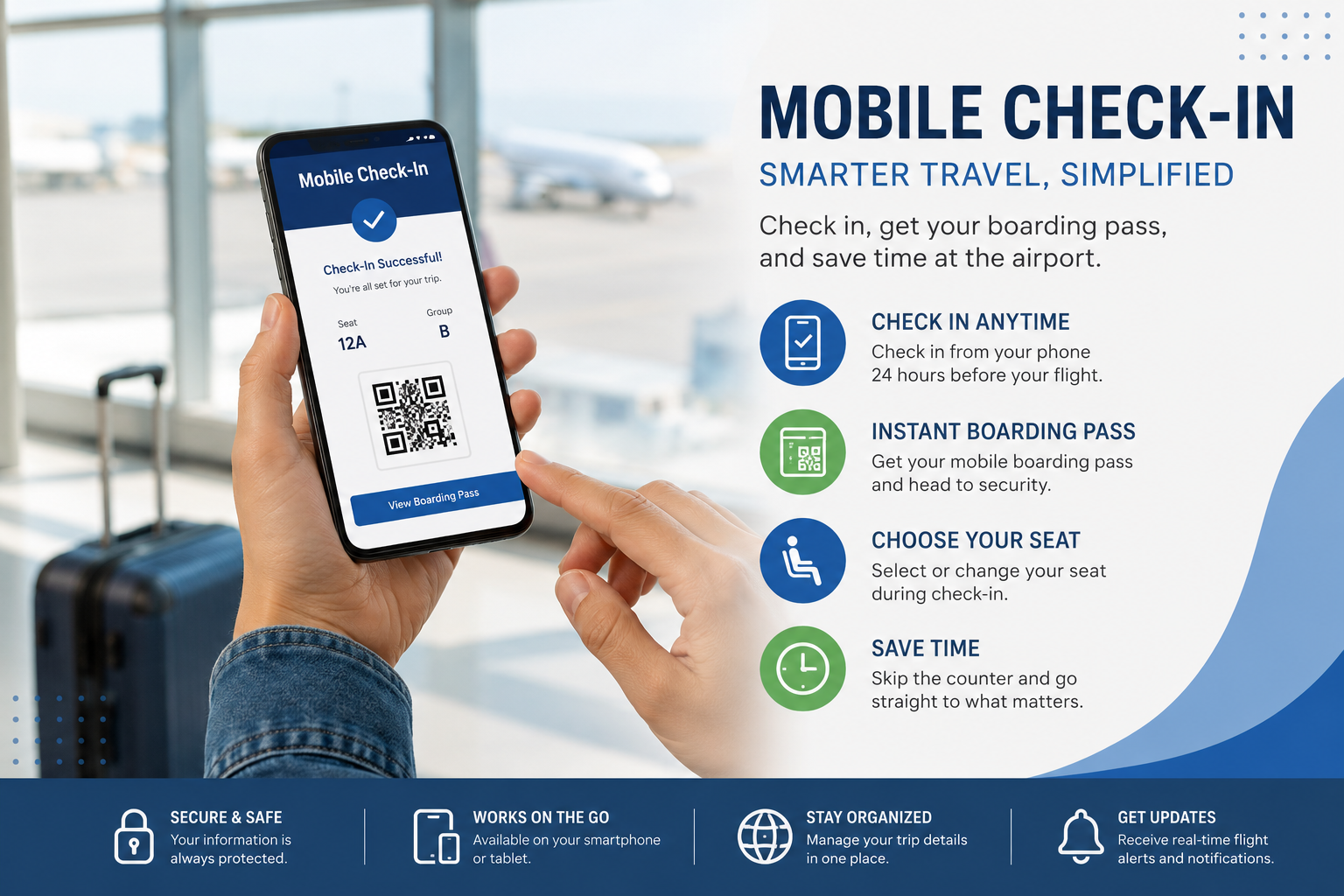
Flying with American Airlines? American Airlines mobile check in can save time before you reach the airport. Instead of waiting at a check-in desk, eligible passengers can use the American Airlines app to check in, access a mobile boarding pass, review seats, add bags and receive travel updates.
American Airlines says app and online check-in generally begin 24 hours before departure. However, eligibility and minimum airport check-in times can vary by itinerary, airport and passenger circumstances.
This guide explains how mobile check-in works, when to use it, why it sometimes fails and what to do after checking in.
Essential Information
- How to complete American Airlines mobile check in
- When mobile check-in opens and closes
- What you need before starting
- How to get your mobile boarding pass
- What to do with checked baggage
- Why the app may not let you check in
- International check-in rules
- Mobile boarding-pass troubleshooting
- Airport and TSA tips
- Common mistakes to avoid
What Is American Airlines Mobile Check In?
American Airlines mobile check-in is the process of checking in for an eligible flight through the American Airlines app on a smartphone or tablet.
The process confirms your travel details and can provide a digital boarding pass. American Airlines’ app also supports features such as seat selection, baggage management, flight updates, airport maps and other trip-management tools.
The important point is that mobile check-in does not mean you can skip the airport completely.
You may still need to:
- Drop checked baggage.
- Show identification or travel documents.
- Clear security.
- Complete additional document checks for some international trips.
- Visit an agent if the app directs you to the airport.
- Reach your gate before boarding closes.
American Airlines recommends arriving at least 2 hours before domestic U.S. flights and 3 hours before international flights.
Why mobile check-in matters
The trend is bigger than one airline. IATA’s 2025 Global Passenger Survey found that 78% of passengers want a smartphone that combines a digital wallet, digital passport and loyalty cards for travel tasks. SITA’s 2025 research also reports that 79% of passengers are ready for digital identities on their phones.
That makes mobile check-in part of a wider shift toward digital airport journeys.
When Does American Airlines Mobile Check In Open?
For most eligible American Airlines trips, mobile and online check-in begins 24 hours before scheduled departure. The normal online/app window runs until the applicable check-in cutoff. American Airlines’ general check-in page currently states up to 45 minutes before departure for flights within the U.S. and 90 minutes for international flights, while airport check-in requirements can be different.
There is an important distinction: American Airlines’ app FAQ says app check-in eligibility is 1–24 hours before domestic travel and 2–24 hours before international travel, provided the passenger has a seat assignment and meets other requirements.
American Airlines check-in timing at a glance
| Situation | General timing |
|---|---|
| Mobile/online check-in opens | 24 hours before departure |
| Domestic app eligibility | 1–24 hours before departure |
| International app eligibility | 2–24 hours before departure |
| General online check-in cutoff | 45 minutes before U.S. departure |
| General international online cutoff | 90 minutes before departure |
| Recommended domestic airport arrival | At least 2 hours |
| Recommended international airport arrival | At least 3 hours |
Airport-specific rules can override general timings, so check your departure airport before travelling. American Airlines currently lists Delhi (DEL) with a 75-minute airport check-in deadline for flights to or from destinations outside the U.S.
How to Check In on the American Airlines App
The basic process is straightforward, although the exact screen names can change as the app is updated.
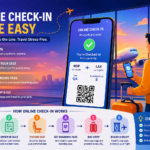
Step 1: Open the American Airlines app
Open the official American Airlines app and sign in if you have an Advantage account.
You can also continue as a guest and retrieve a reservation using the passenger’s name and confirmation code. American Airlines says its six-character confirmation code can be used to manage a trip, check in and obtain a boarding pass.
Step 2: Find your trip
Your upcoming trip may appear on the app’s home screen.
If it does not, use the reservation/check-in option and enter:
- Passenger last name
- Six-character confirmation code
Step 3: Select “Check In”
Once your flight enters the check-in window, select the check-in option.
Follow the prompts and review passenger information carefully.
Step 4: Confirm your seat
Check your assigned seat.
If available, the app can also allow you to change or select a seat. American Airlines lists seat selection as one of the app’s supported features.
Step 5: Review baggage and travel details
If you are checking luggage, review your baggage options before leaving for the airport.
Mobile check-in does not physically check a bag. You will still need to take your luggage to the applicable bag-drop, kiosk or counter.
Step 6: Get your boarding pass
Complete the check-in process and open your mobile boarding pass.
American Airlines says the mobile pass can be scanned at airport security checkpoints and at the gate for boarding.
Step 7: Save the pass
Save the boarding pass to your device or digital wallet where available.
American Airlines also says that after you have viewed your mobile boarding pass, it can be cached in the app for 48 hours, helping when airport Wi-Fi or mobile data is unavailable.
How to Get an American Airlines Mobile Boarding Pass
Checking in and receiving a boarding pass are closely connected, but they are not exactly the same thing.
You can obtain a mobile boarding pass through the American Airlines app. American Airlines also supports checking in through aa.com and choosing its mobile-email option.
Your mobile boarding pass should show a scannable barcode
Before reaching security, check that:
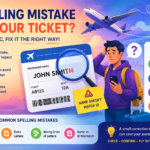
- Your name is correct.
- The flight number is correct.
- The date and destination are correct.
- Your seat assignment is displayed.
- The entire barcode is visible.
- Your phone screen is bright enough to scan.
American Airlines specifically advises passengers to make sure the entire barcode is visible when presenting the mobile boarding pass.
Can You Check Bags After Mobile Check In?
Yes. Mobile check-in does not eliminate the need to handle checked luggage.
After checking in on your phone, you can proceed to the airport and follow the appropriate baggage process.
Depending on the airport, American Airlines offers self-service kiosks and other baggage-check options. The airline says passengers checking bags must meet the applicable airport cutoff, and some airports have earlier deadlines.
Example
Suppose your domestic flight leaves at 6:00 p.m.
You could check in through the app beginning around 6:00 p.m. the previous day. But if you have a checked bag, you still need to arrive early enough to complete bag drop, security and the journey to your gate.
Mobile check-in saves time; it does not replace airport processing.
Why Can’t I Check In on the American Airlines App?
This is one of the most important parts of the process because an unavailable check-in button does not necessarily mean your booking is wrong.
American Airlines says app check-in may not be available when:
- Your first flight is not operated by American Airlines.
- You are travelling with a pet.
- Your itinerary involves a weapon or firearm.
- You are an unaccompanied minor.
- You do not have a seat assignment.
- You are outside the applicable app check-in window.
- Your itinerary requires another form of processing.
The airline also says passengers may be redirected from the app to aa.com when travelling with an infant under 2 or when they do not have a seat assignment.
What should you do?
Try this sequence:
- Confirm that you are within the check-in window.
- Check that your first flight is operated by American Airlines.
- Confirm that your reservation details are correct.
- Try retrieving the trip using your six-character confirmation code.
- Check whether you have a seat assignment.
- Try aa.com instead of the app.
- If the website also prevents check-in, plan to see an airport agent.
Do not keep refreshing the app for hours if American Airlines is clearly directing you to the website or airport.
American Airlines Mobile Check In for International Flights
International travel requires extra care because a mobile boarding pass alone may not be enough.
American Airlines’ current app FAQ says international app check-in eligibility is generally 2–24 hours before departure.
International airport deadlines can also vary substantially. For example, American Airlines currently lists 75 minutes for Delhi, while some destinations require 90 or 120 minutes.
Before an international flight, check:
- Passport validity.
- Visa requirements.
- Destination-specific entry rules.
- Any required travel authorisations.
- Whether your airport accepts mobile boarding passes.
- Whether your itinerary includes a partner-operated flight.
- Whether American Airlines requires document verification at the airport.
For international travel, American Airlines recommends arriving at least 3 hours before departure.
What If Your Mobile Boarding Pass Does Not Work?
A digital boarding pass is convenient, but relying on one screen without a backup is a common travel mistake.
American Airlines says mobile boarding passes are accepted at most airports, but passengers should check their departure and connecting airports. If an airport does not accept mobile passes, you can print one before travelling or use a self-service kiosk.
Smart backup plan
Before leaving home:
- Open the boarding pass once.
- Save it to your digital wallet if supported.
- Make sure the barcode loads correctly.
- Keep your phone charged.
- Carry a portable charger.
- Keep your identification or passport accessible.
- Know where the airport kiosks are located.
- Consider having a printed backup for complicated itineraries.
This is especially useful because airline apps can be updated or experience temporary technical problems.
Mobile Check In vs Airport Check In
| Feature | Mobile check-in | Airport check-in |
|---|---|---|
| Where? | Phone/tablet | Airport |
| Typical opening | 24 hours before departure | Varies by airport |
| Boarding pass | Digital | Digital or printed |
| Seat management | Available in eligible cases | Available through staff/kiosk |
| Bag drop | Still required if checking bags | Usually handled during airport process |
| Best for | Travellers with straightforward itineraries | Passengers needing assistance or document checks |
For a simple trip with a confirmed seat and no special processing, mobile check-in is usually the most convenient option.
Common American Airlines Mobile Check-In Mistakes
Avoid these mistakes before your flight:
Waiting until the last minute: Check in when the window opens instead of treating the cutoff as your target.
Assuming mobile check-in means no airport visit: Checked bags and security still require airport time.
Ignoring the operating carrier: Codeshare flights may require check-in with the airline operating the first flight. American Airlines says partner-operated flight check-in and arrival requirements are set by the operating airline.
Not checking the airport’s mobile-pass acceptance: Mobile boarding passes are available at most airports, not necessarily every airport.
Using an old boarding pass: If your flight or seat changes, open the current pass again before going to the gate.
Letting your phone battery reach zero: A mobile boarding pass is useless if you cannot display it.
What Should You Do After American Airlines Mobile Check In?
Once you have checked in successfully, your airport routine should be simple.
If you have only carry-on baggage
- Confirm your boarding pass.
- Arrive at the recommended airport time.
- Proceed to security.
- Keep your ID and boarding pass ready.
- Check the app for gate and flight updates.
- Reach the gate early.
If you have checked baggage
- Complete mobile check-in.
- Arrive at the airport.
- Follow signs for baggage drop/check-in.
- Submit your luggage before the applicable cutoff.
- Proceed through security.
- Monitor your gate and boarding information.
American Airlines says passengers should be at the gate and ready to board at least 30 minutes before domestic departure and 45 minutes before international departure. Boarding ends 15 minutes before departure.



4 responses to “Could American Airlines Mobile Check-In Be Your Ultimate Travel Shortcut?”
[…] Can I correct my ticket after online check-in? […]
[…] Airport Check-In Process for Young Travelers […]
[…] Airlines Online Check-In Rules and Process […]
[…] Avelo Airlines Online Check-In […]